ERP Strategy
Top 6 Features For College ERP Software
Published on 20 Jul 2026
Evaluating college ERP software? Here are the features, integrations, and vendor questions that actually matter before you sign a contract.
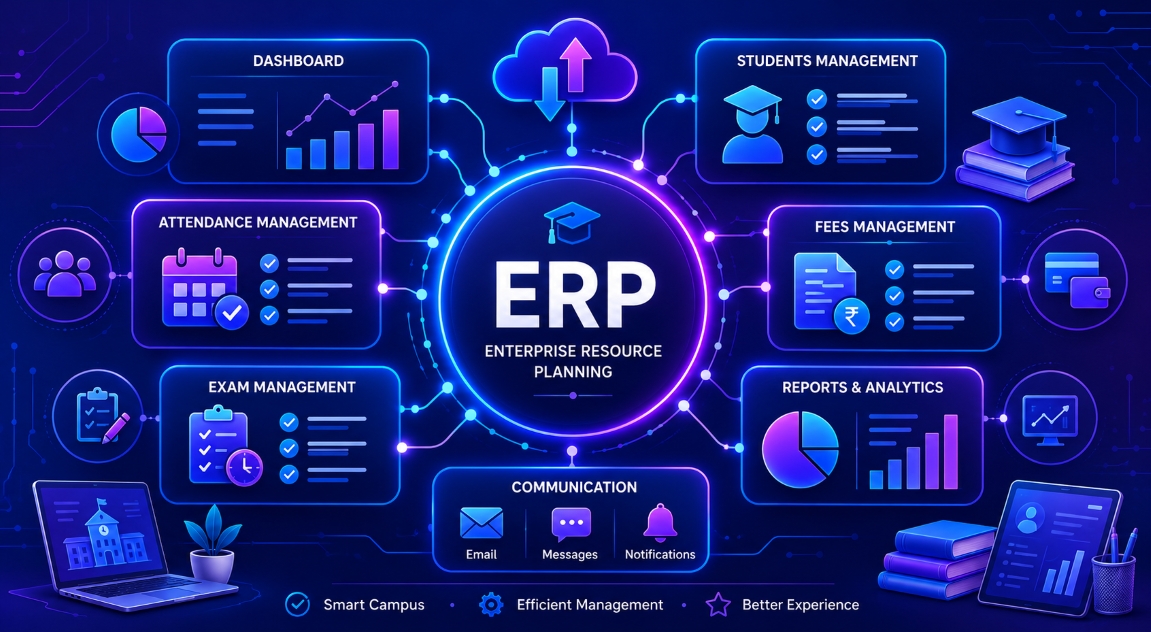
Shortlisting a College ERP Software usually starts with a spreadsheet of vendor names and a demo calendar that fills up fast. Every vendor call sounds convincing in the moment: clean dashboards, confident answers, a feature list that checks every box on paper. The gap shows up later, after the contract is signed, when the system meets your institute's actual admissions cycle, fee structure, and staff routines for the first time.
This guide is not about what an ERP does in general. It is about the specific features and vendor answers worth digging into before you commit, so the system you pick still makes sense a year in, not just during the demo.
Before You Book Another Demo
This is for whoever ends up doing the actual comparison, not the person who will simply log in and use the system once it is live. If you are an individual in charge of obtaining vendor price quotes, attending product demonstrations, or preparing a shortlist for a decision-maker or committee, here are the questions to have lined up for the next call.
Features That Actually Matter When Evaluating Vendor
Most vendor comparisons focus on feature checklists, but a few things separate a smooth rollout from a painful one, and they rarely show up on the sales deck.
Data Migration & Onboarding Support
Every vendor will demo a clean, empty system. What they do not always show you is what happens when you try to move five years of student records, fee histories, and staff data into it. Ask specifically: who does the migration, your team or theirs? How long does it take for an institute your size? What happens to historical records that do not fit the new system's format?
A platform that looks simple in a sales demo can still turn into weeks of manual re-entry if migration is not part of the package.
Customisation for Institute-Specific Workflows
No two colleges run identical processes. Some allow provisional admissions before document verification; others do not. Some collect fees per semester, others per year with staggered instalment plans. A rigid ERP forces your institute to change its process to fit the software, which usually means staff quietly go back to spreadsheets for the parts that don't fit.
Ask for a workflow that's specific to your institute, not a generic one, during the demo itself.
Integration With Payment Gateways & Communication Channels
Fee collection is not usually an isolated process. Please first check whether your ERP is already integrated with the payment gateways your institution uses and whether it can send text or email reminders on its own without any additional system. When visiting with vendors, if they say "yes, it integrates", make sure you ask them about the specific systems they already have tested, not what might potentially work one day.
Scalability Across Campuses and Batches
If your institute runs one campus with 500 students today, that's the easy case. The harder question is what happens if you add a second campus, a new batch size, or a professional course alongside your existing programs next year. Some systems charge per module, per user, or per campus in ways that only become clear after you've signed. Ask for the pricing structure at your current size and at twice that size.
Vendor Support & Response Time
Software works fine until the day it does not, usually during admissions week or exam season, when there is no room for a "we'll get back to you in 48 hours" reply. Ask what support actually looks like: is there a dedicated contact, a ticketing system, a phone line? What's the average response time during peak periods, not average ones?
Security Certifications & Backup Policy
Having student and financial details on the same platform increases the risks involved in case of a malfunction. Find out where the data sits, how often backups are made and what the time frame for recovery is when the server stops working halfway through the term. If the vendor is capable of delivering this news in a single properly formulated sentence, it means they usually give this question a good deal of thought. A nebulous reply is also worth considering.
Questions to Ask Before Signing a Contract
A short checklist to bring into any vendor call:
- Who handles data migration, and how long does it take?
- Can we see the system configured for our actual workflow, not a demo template?
- Which payment gateways and messaging tools are already integrated, not just "supported"?
- What does pricing look like if we add a campus or double our student count?
- What's the guaranteed response time for support issues during peak periods?
- Where is our data hosted, and how often is it backed up?
- Is there a documentation portal our own IT team can use after rollout, or do we depend on the vendor for every question?
If the vendor has second thoughts about one or more queries listed above, then it can be used for calling off the deal in future.
Where CampusEdgePro Stands on These Points
CampusEdgePro is built around the workflows a college administration office actually touches every day, not a generic ERP repackaged for education. Institute-specific fee structures, admissions workflows, and reporting are configured to match how your institute already runs — not the other way around. The platform ships with a full documentation portal for IT teams evaluating rollout six months out, not just at demo stage, and it's already running across 50+ institutes with room to scale as campuses or batches grow.
Ready to see it against your own checklist? Book a live CampusEdgePro demo and bring these questions with you.
Interested in CampusEdgePro? See how our connected ERP modules can transform your daily college operations.
Interested in CampusEdgePro?
See how our connected ERP modules can transform your daily college operations.